


The waybill is a document that accompanies goods from dispatch to final delivery.
During transport, the waybill makes it possible to track the parcel's location and, once it reaches its destination, certifies delivery.
In this article, we'll take a detailed look at what a waybill is, where to find it, and how to fill it out without errors so you can ship effectively.
What is a waybill?
How to attach the waybill
Who fills out the waybill
How to fill out the waybill
Waybill for domestic and EU shipments
Waybill for international shipments
Automate the whole process with Sendcloud
What is a waybill
The waybill is a document that accompanies the transport of goods from the moment of dispatch to final delivery to the recipient.
The waybill serves to certify that the goods have been sent, sets out the contractual terms with the carrier (including shipping insurance, if agreed) and includes a tracking code to monitor the parcel's journey along the way.
Issuing the waybill, which is mandatory under Article 1684 of the Italian Civil Code, is the responsibility of the sender or of the carrier or shipping partner.
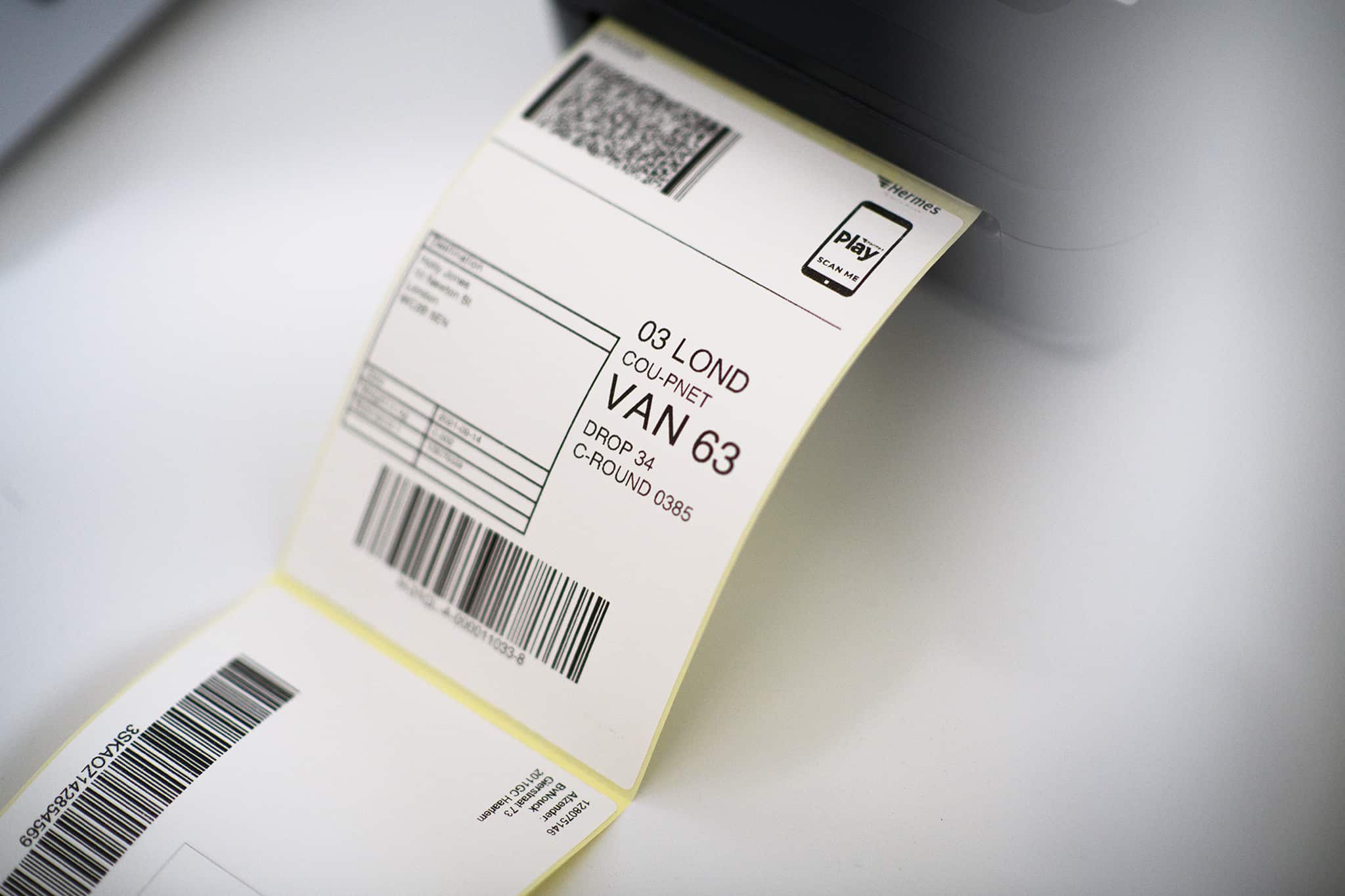
Also known as a "shipping label", it contains the details of the parcel it accompanies, including the contents and volumetric weight, and cannot be reused once issued: a specific label must therefore be created for each shipment.
Unlike the DDT (the Italian transport document), which the sender can also send digitally, the waybill must physically accompany the parcel and be attached to the package being shipped.
Finally, this shipping document can also be used to process a return and streamline the goods-return procedure, a notoriously critical aspect of managing e-commerce logistics.
How to attach the waybill
The waybill must be attached to the outside of the parcel.
Usually on the top of the parcel, especially if there is a "This Way Up" label.
To make sure the waybill stays visible and isn't damaged while the package is in transit, we recommend printing it on plain paper, placing it in a clear plastic sleeve, and attaching it to the parcel with strong adhesive tape.
Who fills out the waybill
The sender of the parcel is always responsible for filling out the waybill.
Whether you run an e-commerce store or need to manage shipping for a marketplace, the rules to follow are always the same.
If you ship with a carrier or shipping partner, the waybill should be sent by email or made available in the reserved area of the carrier's website: this is the case with the SDA waybill or the DHL waybill, accessible from their respective portals.
On the other hand, if you handle shipping yourself, the best thing to do is to rely on a tool to create free shipping labels: that way you can create them in bulk in just a few minutes and without manual errors!
When you make a shipment, three copies of the document are required:
One to attach to the parcel;
One signed by the carrier to keep for five years;
One to hand over to the carrier;
In addition to the physical label, a virtual copy of the document is always available: generally, e-commerce carriers let you access it by entering the tracking code provided by the sender or the shipper on their website.
But this process takes time and effort, even though it can be easily streamlined with shipping software like Sendcloud (find out how in the conclusion of this article!).
How to fill out the waybill
Shipping automation can in fact play a key role in your business's success and help you (indirectly, but not by much) increase your e-commerce sales.
Filling out the waybill without errors is a still too often underestimated aspect of a winning online store.
In fact, missing data or information on the waybill could slow down delivery or force the carrier to return the goods to the sender.
So let's look at how to fill out the waybill for your domestic and international shipments.
Waybill for domestic and EU shipments
For shipments within the country and to European Union countries, the waybill must include the following details:
Sender information (name, company name, address, postal code, and other contact details);
Recipient's address (including any details such as apartment number, name on the doorbell, etc.);
Number of packages to be delivered (for multi-package shipments, you need to indicate the total number of packages that make up the shipment, e.g. "1 of 3");
Weight and dimensions of the packages;
Tracking code (provided by the carrier once the shipment is accepted);
Shipment departure date;
Delivery date and recipient's signature;
Parcel contents (not mandatory, but particularly useful for fragile goods or items to handle with care);
Any information about shipping or payment methods and options (e.g. cash on delivery, insurance, shipping type);
Then you simply enter this information and proceed with the shipment or hand the parcel over to the carrier.
Waybill for international shipments
When it comes to international shipments to non-EU countries, the traditional waybill is not enough to ship to a foreign country.
The goods must always be accompanied by the international waybill, or CMR note, which complies with the "Convention relative au contrat de transport international de marchandises par route", a convention on the transport of goods and products between different countries, and must include details about the parcel's contents.
To fill out the international waybill, the following information must be included:
The date the goods are recorded and taken into charge;
The address of the sender, the carrier, and the recipient;
The date and place of delivery of the goods;
Number of packages, weight, dimensions, and contents;
Instructions on transport costs (e.g. whether paid on delivery or at destination), ideally coded according to the Incoterms abbreviations;
Details about customs requirements, including any attached customs forms and the HS code, the international system for classifying goods for customs authorities;
A reference to the commercial invoice to attach in order to streamline customs clearance and delivery of the goods to their destination;
Any extra information, including a ban on transshipment, documents to be delivered, insurance on the goods, the amount to be collected on delivery, and a list of the attached summary documents.
As you can imagine, shipping abroad involves a series of additional requirements and costs: to help you choose the right carrier to ship with, read our complete guide to international shipping costs.
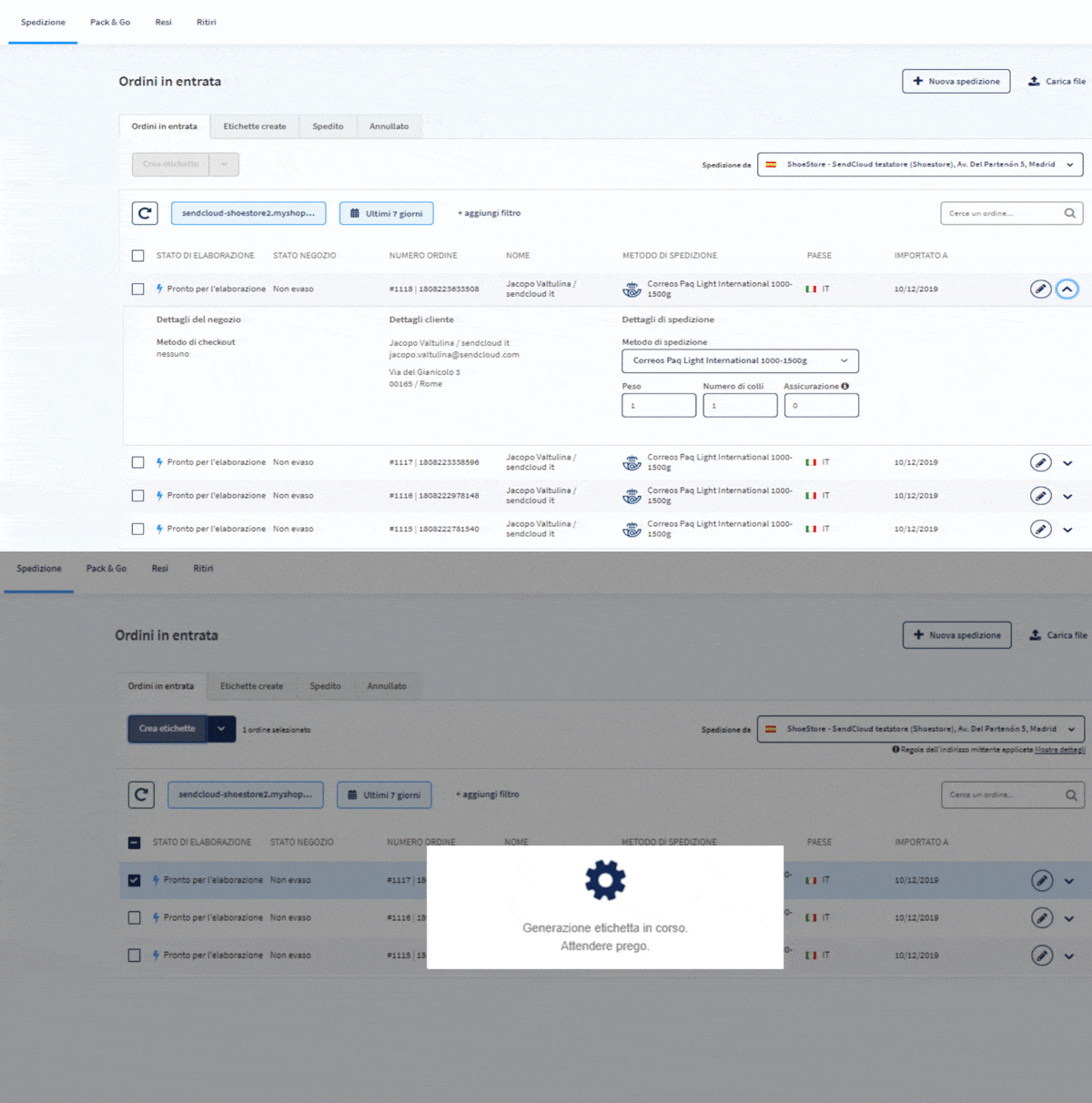
Screenshot of the Sendcloud panel: here's how you can create waybills automatically and without errors
Automate the whole process with Sendcloud
We've reached the end of this practical guide to the waybill: with the information you've just read, you should be able to fill it out without errors.
As mentioned, the waybill is an essential document for making sure your goods are shipped on time and without a hitch.
Delivery speed is in fact a critical aspect of selling online successfully: did you know that 68% of online shoppers in Italy expect to receive their parcel within 3-5 days of the order date?
Don't fall short of your customers' expectations; exceed them with Sendcloud.
If you run an online store, you can automate the entire shipping process with a shipping platform like Sendcloud.
With Sendcloud you can generate and print waybills and other shipping documents automatically and without manual errors, manage all your orders from a single interface (even if you ship with multiple carriers), send branded tracking notifications, and above all save time and money.
Book a free demo now, or create your free Sendcloud account, connect your online store, and start shipping!
How much time can you save on shipping?

Share
Recommended for you

Shipping Intelligence
Shipping
E-commerce
Best 9 Shipping Data Analytics Software Tools (2026)
E-commerce
Enterprise
The true cost of post-purchase: what e-commerce shipping really costs enterprise retailers

VAT on shipping costs: how does it work?
Why do you pay VAT on shipping costs? Which VAT rate should you use, and how do you pass it on smartly to your customer? Find the answers in this guide.